
Quick answer
If you searched windows media player dvd, here is the practical answer.
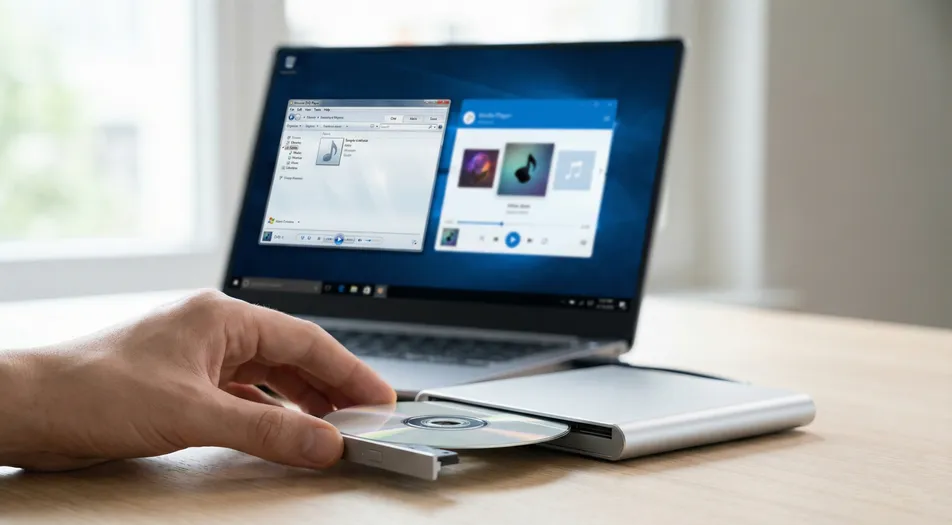
Windows Media Player and Media Player are different Microsoft apps, but neither one should be treated as a dependable promise of DVD movie playback on Windows 11. If your goal is simply to watch a disc, the better test is not the app name. It is whether the player is actually built to handle DVDs cleanly.
If you want the shortest path, try MediaPlay DVD Player. If you want a broader walkthrough first, read the main guide to playing DVDs on Windows 11.
Windows Media Player vs Media Player at a glance
| App / Player | What it is | DVD playback suitability | Best for | Main limitation |
|---|---|---|---|---|
| Windows Media Player | Older Microsoft media app many users remember from earlier Windows versions | Limited and inconsistent for modern DVD expectations | Familiar local media playback habits | The name makes people assume DVD support is built in |
| Media Player | Newer Windows 11 media app | Not a reliable “insert disc and watch” DVD solution | Music libraries and common video files | General media focus, not dedicated DVD handling |
| File Explorer + VIDEO_TS files | Raw access to disc folders and files | Poor for normal movie viewing | Confirming the drive can read the disc | You see DVD files, not a proper playback experience |
| VLC | Popular free media player | Often workable | Users who want a free option and do not mind a more tool-like interface | Not always the simplest path for less technical users |
| MediaPlay DVD Player | Dedicated DVD playback app | Strong fit for disc-first playback | People who want a straightforward way to watch DVDs | More focused on DVD playback than on being an all-purpose media toolbox |
Why this confuses so many people
This confusion is completely predictable. For years, many users treated “Windows Media Player” as shorthand for “the Windows app that plays everything.” Then Windows 11 introduced Media Player, which sounds close enough that people reasonably assume it is the same thing with a newer look.
That is where the problem starts. A familiar Microsoft name feels like a built-in guarantee. In practice, it is not.
When someone inserts a DVD, sees Windows detect it, and notices a player app already on the PC, the natural assumption is that playback should be simple. When that does not happen, users often start switching between Windows Media Player and Media Player as if the right label will unlock the movie. Usually, that is wasted time.
The real question is not which Microsoft name is correct. The real question is which app is actually designed to handle DVD playback.
What usually happens on Windows 11
When people search for can Media Player play DVD or Windows Media Player DVD, they are usually dealing with one of a few very practical situations.
Sometimes the disc is detected, but the movie never starts. Sometimes Windows opens the disc like a folder and shows VIDEO_TS, .VOB, or .IFO files. Sometimes a media app opens, but the result feels clumsy, partial, or inconsistent. And sometimes the user keeps bouncing between different player names because the naming itself is so misleading.
That is why this topic matters. It is not just an app-comparison question. It is a real decision-stage problem where the wrong assumption wastes time.
Why the app name is not the real DVD test
DVD playback is about capability, not branding.
A player can be perfectly fine for MP4 files, music libraries, or downloaded videos and still be a poor fit for DVDs. Watching a DVD is not just “open a video file.” A normal DVD movie involves disc structure, navigation, and proper handling of the files on the disc.
In plain English, a player needs to do more than notice that a disc exists. It needs to turn that disc into a usable movie-watching experience.
That is why seeing Windows Media Player or Media Player on your PC does not answer the question by itself. The names sound reassuring. The actual playback experience is what matters.
What to use instead
For most users, there are really two reasonable paths.
Free option: VLC
If your main priority is cost, VLC is the obvious place to start. It is widely known, flexible, and often works well enough for people who are comfortable experimenting a little.
That said, VLC is not always the lowest-friction experience for everyone. Some users are perfectly fine with that. Others just want the disc to play without feeling like they need to troubleshoot a media setup.
Simpler disc-focused option: MediaPlay DVD Player
If your priority is a more direct, DVD-focused workflow, MediaPlay DVD Player is the more natural fit.
This is the path that tends to make more sense for non-technical users, or for anyone who is tired of testing whatever happens to already be installed on Windows. Instead of guessing based on Microsoft naming, you use a player meant for the job.
If your problem is broader than the naming confusion and you need setup help, drive checks, or troubleshooting ideas, the full Windows 11 DVD guide covers that in more detail.
Why File Explorer showing VIDEO_TS does not mean playback is solved
One of the most common points of confusion is when the disc opens in File Explorer and the user sees folders like VIDEO_TS.
That usually means the drive can at least read the disc structure. It does not automatically mean you have the right playback setup.
To many users, seeing those files looks like progress. In reality, it often just proves that Windows can access the disc as data. It does not prove that your current media app will turn that disc into a smooth movie experience.
This is one reason people feel stuck. The computer clearly “sees” the DVD, but the actual watching part still does not work the way they expect.
The honest answer on built-in vs dedicated players
Built-in tools feel safer because they are already there. That instinct makes sense. People often trust default Windows apps more than unfamiliar software, especially if they only want to watch one movie and move on with their day.
But DVD playback is one of those cases where “already installed” and “best fit” are not the same thing.
A dedicated DVD player is not automatically better because it is paid or specialized. It is better only if it removes friction for the person trying to use it. For many readers, that is the whole decision. They do not need a huge media hub. They need the disc to play.
That is also why VLC remains a fair recommendation. It is a legitimate free option. The reason some users still prefer a dedicated player is not hype. It is workflow.
Verdict
If your search was windows media player dvd, the main takeaway is simple.
Windows Media Player and Media Player are not the same app. Neither name alone guarantees reliable DVD playback on Windows 11. The fastest way to stop the confusion is to stop judging by app branding and use a player that actually fits DVD playback.
If you want a straightforward option, try MediaPlay DVD Player. If you want a full walkthrough first, read the main DVD guide for Windows 11. You can also browse the apps directory if you want to compare tools by use case.
FAQ
Is Windows Media Player the same as Media Player in Windows 11?
No. They are different Microsoft apps from different Windows eras. Their similar names are a big reason people get confused when trying to play DVDs.
Can Media Player on Windows 11 play DVDs?
It should not be treated as a dependable, disc-first DVD solution. That is why many users end up looking for a dedicated DVD-capable player instead.
Can Windows 11 play DVDs by default?
For many users, not in the simple “insert disc and watch the movie” way they expect. Windows may recognize the disc without giving you a clean DVD playback experience.
Why does my DVD open as VIDEO_TS files instead of the movie?
That usually means Windows can read the disc as files. It does not necessarily mean your current player is handling DVD playback properly.
Do I need codecs to play a DVD?
Most people are better off using software that already handles DVD playback correctly rather than trying to manage codecs manually.
Should I try VLC first?
Yes, if you want a free option and you are comfortable with a more flexible interface. It is a reasonable starting point.
What is the easiest option for a non-technical user?
Many non-technical users prefer a disc-focused option like MediaPlay DVD Player because the workflow is more direct.
