
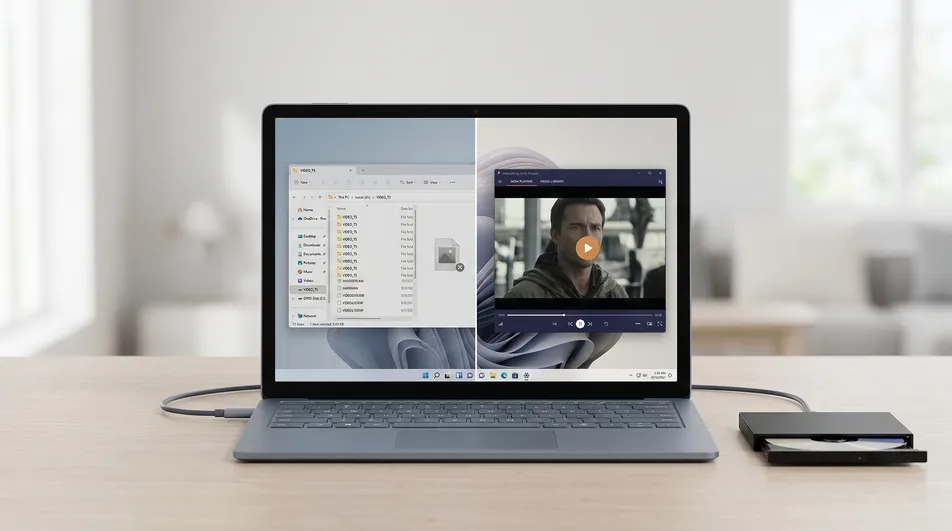
How to Play DVD on Windows 11
You connect your external drive, insert a DVD, and expect the movie to start. Instead, nothing happens. Or a folder opens full of .VOB files. Sometimes Windows Media Player launches… and then throws a cryptic error.
It feels like your hardware is broken. It isn’t.
The reality is that Windows 11 simply isn’t equipped to play DVDs out of the box anymore. Microsoft removed the native codecs years ago to save on licensing costs, leaving users with perfectly good DVD collections stuck in the dark.
📊 Quick Comparison: DVD Playback Methods
| Method | Reliability | Setup Time | Risk Level | User Rating |
|---|---|---|---|---|
| Windows Media Player | ❌ No | N/A | Low | ⭐ |
| Codec Packs | ⚠️ Sometimes | 15+ mins | Medium | ⭐⭐ |
| VLC Media Player | ✅ Yes | 5 mins | Low | ⭐⭐⭐ |
| MediaPlay DVD Player | ✅ Yes | <1 min | Low (Verified) | ⭐⭐⭐⭐⭐ |
The Windows 11 DVD Gap: Why your disc won’t play
The confusing part is that everything looks like it should work. Your drive shows up in File Explorer. The disc is detected. You can even see the files. But when you hit “Play,” the system stalls.
This is because Windows 11 lacks a licensed playback engine. Without the right “decoder” (codec), your PC can see the data on the disc but can’t turn it into a moving picture.
Developer’s Note: > “I built RoxyApps because I saw too many people returning external DVD drives to Amazon thinking they were broken. In 99% of cases, the hardware is fine—the PC just lacks the ‘translator’ needed to read the disc.”
What actually works? (VLC vs. Dedicated Apps)
When you search for a fix, you will likely encounter two main “working” solutions.
1. VLC Media Player (The Technical Standard)
VLC is a common recommendation because it’s free and open-source. It handles almost any format you throw at it. However, it isn’t always the smoothest experience:
- Interface: It hasn’t changed much since 2005 and can feel cluttered.
- Menus: DVD menu navigation can sometimes be “glitchy” or inconsistent.
- Security: You have to download an
.exefrom the web, which requires you to be careful about where you’re clicking.
2. MediaPlay DVD Player (The Modern Approach)
If you want an experience that feels like a native part of Windows 11, a dedicated Store app is the way to go.
- No Codecs: The decoding engine is built into the app.
- Safe: Verified by the Microsoft Store, so there’s no risk of malware or bundled “bloatware.”
- Simple: It is designed for the “Insert disc → Press Play” workflow.
Step-by-Step: How to play a DVD on Windows 11
If you want the fastest working setup, follow these steps:
- Insert your DVD: Use your internal drive or connect your external USB drive.
- Open a DVD Player App: Launch MediaPlay DVD Player (available in the Microsoft Store).
- Select your disc: The app will automatically detect your drive.
- Start playback: Click Play Disc. The movie starts immediately with full menu support.
FAQ
Can Windows 11 play DVDs without extra software? No. Microsoft removed this support to reduce OS licensing costs. You must have a third-party app.
Why does my DVD show files (VIDEO_TS) instead of playing? Windows sees the disc as a storage device (like a thumb drive). Without a player, it can’t launch the video structure hidden inside those folders.
Do I need internet to play DVDs? No. Once your player app is installed, DVD playback works 100% offline.
